You can now export a full audio read of your script
12/9/2025
Table Read Studio now lets you export the audio from your table read as a single file. You can save a full read or pick specific scenes and download them straight from the app.
Once you’ve listened through the scenes in the app, you can export them. This gives you two major advantages: you can listen to your script anywhere, and you can create a polished audio version to share with collaborators or execs.
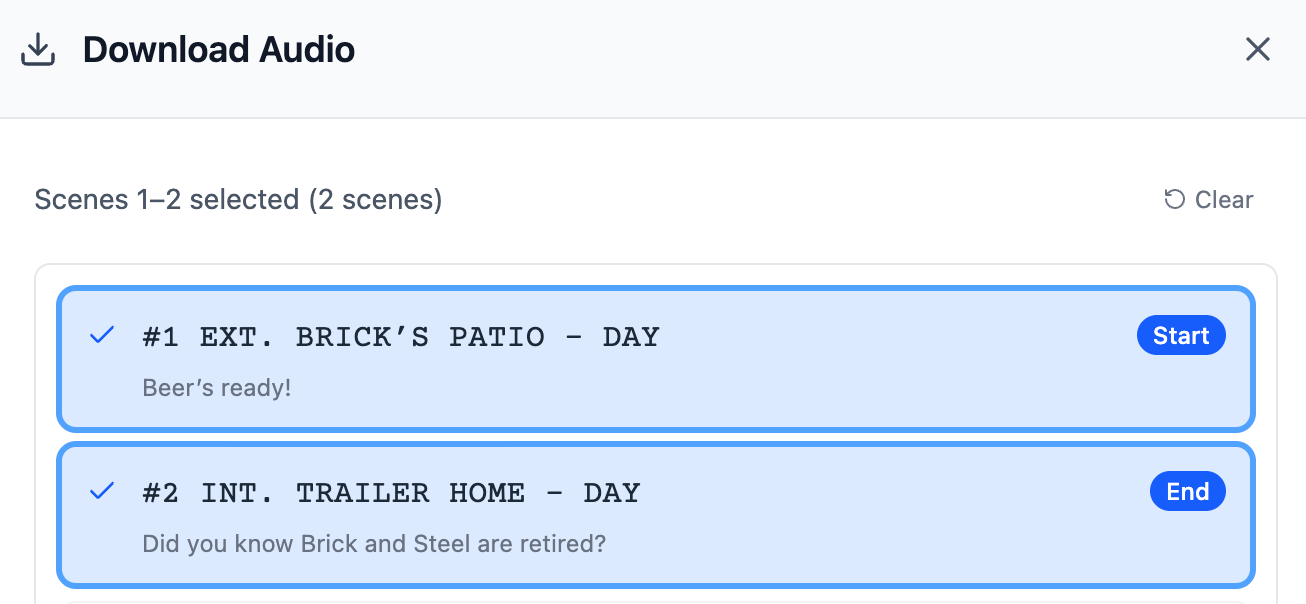
Select scenes to Download
Listen on the go
After you play the scenes inside the app, you can download the audio and take your script with you. Listen on a commute, during a walk, or whenever you want to step away from your screen.
Hearing your script in a different setting often makes pacing, rhythm, and tone easier to judge. It’s a simple way to spot what’s working and what needs tightening.
Share a polished version with your team (or execs)
If you use Acting Directions, the read has clearer intention and is easier to follow. That makes the exported audio useful for sharing with producers, execs, directors, or actors.
And when you’re pitching to execs, offering an easy audio version can help someone grasp tone and character quickly.
How it works
- Set each role to an AI voice (use the narrator if you want action and transitions read aloud).
- Play through the scenes you want exported at least once.
- Click Download Audio, choose the scenes or the full script, and press Download.
You’ll receive one audio file you can save, share, or load into any notes app.
A simple boost to your workflow
Whether you’re reviewing your own draft, gathering feedback, or sharing a pitch, having your script as a portable audio file makes the process smoother. It turns your screenplay into something you and others can listen to anywhere — not just inside the app.
Try it with your current project, or test it with a demo script.